 Best Free AI Tools for Beginners in 2026 — The Ones I’d Actually Tell a Friend About
No jargon, no paid sponsorships, no “top 50 tools” list that overwhelms you before you even start. Just the tools worth knowing — and why they actually matter.
Let Me Be Honest With You First
A few months ago, my cousin called me — she lives in Ohio, runs a small candle business, barely considers herself “tech-savvy” — and asked me straight up: “Is all this AI stuff actually useful, or is it just noise?”
Honest answer? Both. There’s a lot of noise. But there are also tools that genuinely changed how I work — and how she now writes her product descriptions, handles customer emails, and even edits her Instagram videos.
So this isn’t a roundup I put together after skimming through product websites. These are tools I’ve used, recommended to real people, and watched actually make a difference. Some are obvious. A couple might surprise you. All of them are free to start.
What “Free AI Tools” Actually Means
Before we get into the list, let’s clear something up — because “free” means different things depending on the tool.
Some tools are genuinely free with no real limitations. Others give you a free plan that’s good enough to start but nudge you toward a paid plan once you’re hooked. A few are free for a limited number of uses per day or month.
I’ll flag which is which as we go. But the short version: as a beginner, you won’t need to pay for anything on this list to see real results.
Why This Actually Matters If You’re Just Starting Out
Here’s the thing nobody says out loud: the people getting the most value from AI right now aren’t necessarily the most technical ones. They’re the ones who figured out which tasks were eating their time — and delegated those to a machine.
Think about your own week for a second. How much time did you spend writing emails you weren’t sure how to phrase? Summarizing something long before you could actually use it? Staring at a blank page trying to figure out how to start?
That’s where AI actually helps. Not in some abstract “revolutionize your workflow” way — but in small, practical moments where you’re stuck and it just… unsticks you.
Whether you’re a student in the UK trying to get through a brutal reading list, a freelancer in Chicago wanting to write better client proposals, or someone who just wants to stop wasting 45 minutes drafting a simple message — there’s something here for you.
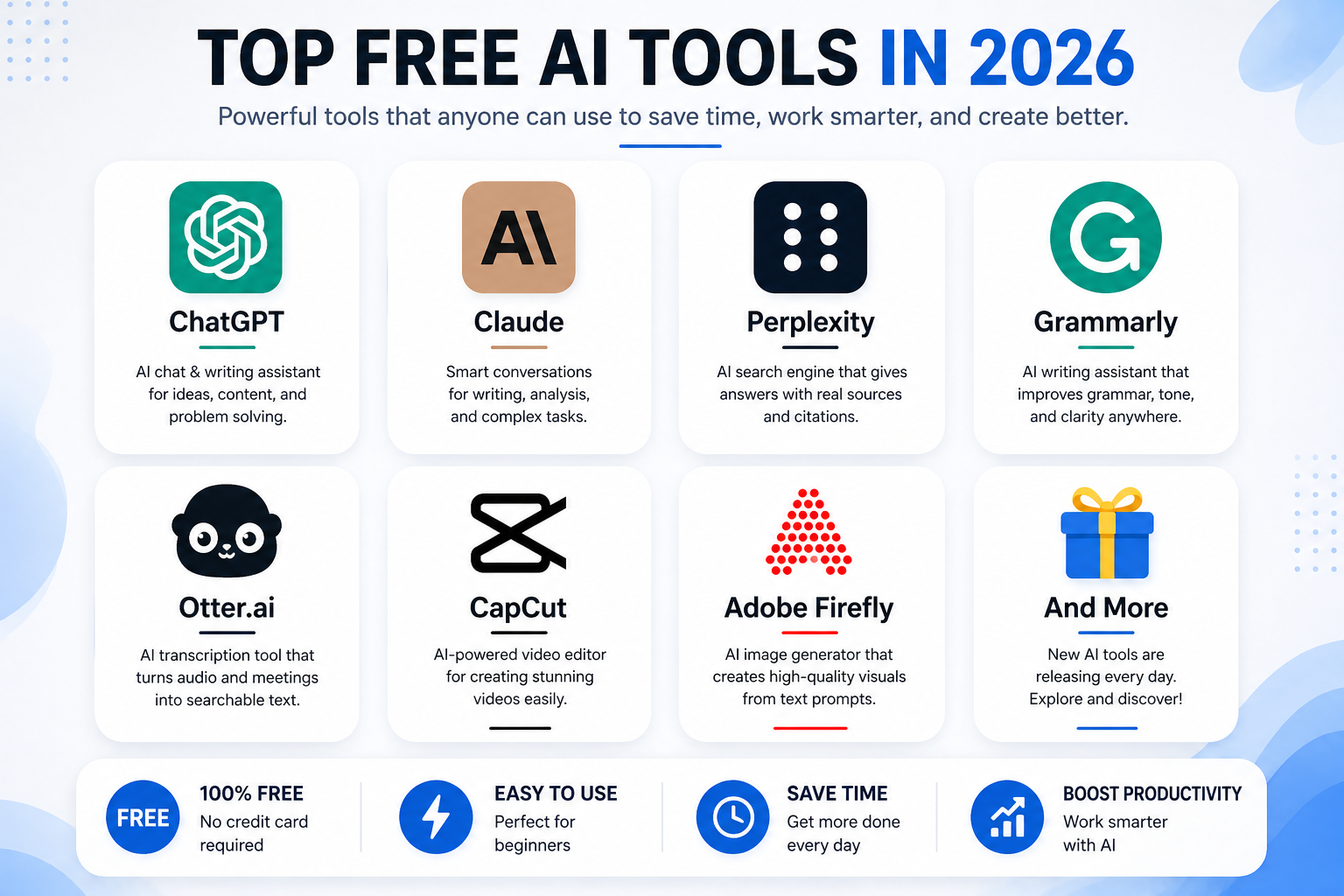 The Best Free AI Tools for Beginners in 2026
I use Claude more than any other AI tool right now, and I’ve recommended it to more beginners than I can count. What makes it stand out isn’t just that it’s smart — it’s that it’s honest. It’ll tell you when it’s not sure about something instead of confidently making something up, which is a bigger deal than it sounds.
It’s genuinely good at writing, breaking down complex topics into plain English, analyzing documents you paste in, and helping you think through decisions. And the conversations feel surprisingly natural — not like you’re querying a database.
ChatGPT is still the most recognized name in AI, and the free version is solid. It’s great at brainstorming, writing first drafts, explaining things, and generating ideas when you’re stuck. It also connects to the web now, which means it can pull in current information instead of being stuck on what it learned a year ago.
If you’ve never used AI before, ChatGPT is probably the easiest place to start just because there are so many tutorials, examples, and communities built around it. You’ll find answers to almost any “how do I use it for X” question within seconds.
I think of Perplexity as what Google should have become. You ask a question, it searches the web, pulls together a proper answer, and — this part is key — shows you exactly where it got the information. Real clickable sources, not vague claims.
For anyone who does any kind of research — for school, work, or personal projects — this is a game changer. You stop opening 12 tabs and start getting focused answers you can actually verify.
Grammarly has been around for years, but the AI-powered version in 2026 is genuinely different from what it used to be. It doesn’t just fix typos — it catches when your writing sounds stiff, when a sentence is doing too much, or when your tone is off for what you’re trying to say.
The free version works inside Gmail, Google Docs, LinkedIn, and most places you already write. You basically install it and forget it’s there — until it saves you from sending something that would’ve made you cringe.
Otter records and transcribes audio in real time. Meetings, lectures, interviews, voice memos — it turns them into searchable text automatically. The free plan gives you 300 minutes a month, which honestly covers most people’s needs.
What I love about it is the searchability. Instead of scrolling through a recording trying to find the part where someone mentioned the deadline, you just Ctrl+F the transcript. It sounds small but it saves a surprising amount of time.
Firefly lets you generate high-quality images from text descriptions. You describe what you want, it creates it. What makes Firefly specifically worth recommending is that Adobe trained it on licensed content, so you’re not in murky territory when you use the images commercially.
Is it perfect? No. Does it sometimes give you five-fingered hands and weirdly proportioned tables? Yes. But for blog headers, social media graphics, presentations, or simple illustrations — it does the job without you needing Photoshop skills or a design budget.
CapCut started as an app for TikTok-style short videos, but the AI features it’s added make it genuinely useful for anyone who creates any kind of video content. Auto-captions, background removal, AI-generated B-roll, script-to-video — it’s a lot for a free tool.
If you’ve ever tried to learn Premiere Pro and given up within the first hour, CapCut is the antidote. You don’t need to know anything about timelines or codecs. You just drag your clip in, let the AI handle the rough edit, and tweak from there.
Tips That Actually Help (From Using These Daily)
Mistakes I See Beginners Make All the Time
Frequently Asked Questions
Is the free tier actually worth it, or will I hit limits immediately?
For most beginners, the free tier is plenty — especially to start. Tools like Grammarly and CapCut have no meaningful limit on the free plan for day-to-day use. ChatGPT and Claude have daily message limits, but unless you’re using them all day for work, you won’t hit the cap. When you do hit limits, you’ll know whether the tool is worth paying for because you’ll already be getting value from it.
Do I need to be tech-savvy to use any of these?
Not at all. If you can type a message and read a reply, you can use Claude and ChatGPT. Grammarly installs like a browser extension and works automatically. CapCut has a mobile app that walks you through everything. The learning curve on all of these is genuinely low — most people are productive within 20 minutes of trying them.
Should I worry about privacy when using these tools?
Yes, a little — and that’s healthy. Don’t put sensitive business information, passwords, private client data, or anything genuinely confidential into any AI tool unless you’ve read and trusted their privacy policy. For general tasks — brainstorming, writing, research, editing your own content — you’re fine. Just treat these tools the way you’d treat any third-party app you don’t fully control.
If I can only start with one, which should it be?
Depends on what you do most. If you write anything — emails, reports, posts, proposals — start with Claude or ChatGPT and add Grammarly alongside it. If you do research, start with Perplexity. If you make videos, start with CapCut. Match the tool to the actual problem you want to solve, not the one with the most features.
Will using AI tools make me worse at things over time?
It can, if you let it. If you stop writing entirely and just edit AI output forever, your own writing muscles will probably atrophy a bit. But used thoughtfully — as a thinking partner, a drafting assistant, a way to move past blocks — these tools make most people sharper, not blunter. The key is staying engaged with what you’re creating rather than just hitting “generate” and walking away.
Final Thoughts
None of these tools will do the hard parts for you. But a lot of the annoying parts — the blank page, the messy first draft, the 40-minute research spiral, the note-taking while trying to actually listen — those they can genuinely handle.
Start small. Pick the one that solves a problem you run into this week. Use it until it feels natural. Then add another. That’s how people actually build habits with new tools — not by downloading seven apps in one afternoon and abandoning all of them by Thursday.
And if something doesn’t click for you, that’s fine too. Not every tool fits every person. The goal isn’t to use AI because everyone else is. It’s to find the specific spots where it makes your actual life a little easier — and then use it there, consistently.
That’s where the real value is.